


GROCERIES, GAS AND ONLINE SHOPPING
From making purchases to withdrawing cash at an ATM, your Exchange Bank Debit MasterCard® is a safe and convenient way to access your money.
School Debit Cards
With the Exchange Bank School Debit Card program, you can do more than showcase your favorite school in the card’s design. We’ll also make a donation to that school each time you use your card. Eligible schools include:
- Marion County High School
- Clark County High School
- Palmyra High School
- Scotland County High School
- Schuyler County High School
- North Shelby High School
- South Shelby High School
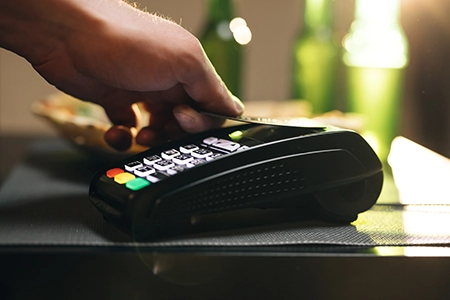

mobile wallet
You don’t need to take your debit card with you to be able to make purchases. If your phone or mobile device has a mobile wallet, you can add your debit card and use your card at contactless pay terminals. Our debit cards work with:




lost or stolen debit card
If you’ve lost your card or believe it has been stolen, call (660) 727-3344 between 8:00 a.m.- 5:00 p.m., Monday through Friday and Saturday 8:00 a.m – Noon.
You can also turn off your card and report your card as lost/stolen via the Manage Card feature in Mobile Banking.

card management
Use your Exchange Bank Mobile App to take full control of your debit cards via the Manage Cards feature in the Main Menu. Add your debit cards and then manage features and functionality such as:
- Set spending alerts
- Temporarily increasing your spending limit to make larger purchases
- Change your PIN
- Report your card lost or stolen
- Add a travel notifications
- Turn your card on/off, impacting only future purchases while allowing for recurring payments previously set up to process

reset your debit card pin
If you know your existing PIN, you can reset your Debit/ATM Card PIN at any Exchange Bank ATM. Just insert your card and follow the prompts on the screen.
You can also change your PIN via the Manage Card feature in Mobile Banking.
If you have forgotten your PIN, you will need to call or stop by any Exchange Bank branch and get a temporary PIN, which you can then change to something you will remember.

moneypass atms
MasterCard® debit cards can be used at thousands of retailers and ATMs across the nation and the world. You can use any MoneyPass® ATM without being charged a fee for the transaction.

Simply find the MoneyPass® ATM nearest you here.
Latest from the Blog
Business Banking Local Banking
What Can a Community Bank Do for Your Business?October 6, 2026
Business Banking Cyber Security
The Check Fraud Schemes Small Businesses Are Seeing Right NowOctober 6, 2026
Budgeting Personal Finances Spending
9 Summer Spending Mistakes to Avoid This YearAugust 19, 2026